


A9Play Sign Up Deposit Guide - Simple, Secure, and Fast
Step-by-Step Deposit Process at A9Play Sign Up
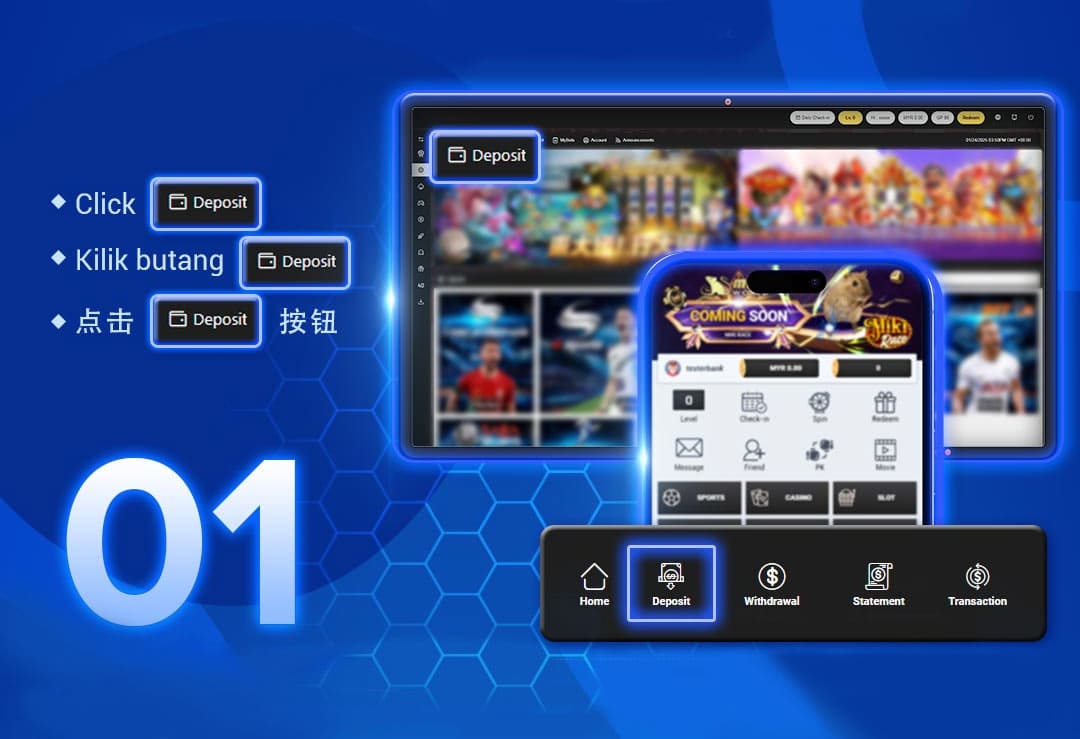
Step 1: Click the "Deposit" Button
After logging into your account at a9playsignup.com, tap or click the "Deposit" button on the bottom navigation bar. This opens the deposit center, where you can begin choosing the package and payment method that fit your needs.
Step 2: Select a Deposit Package
Choose from the available deposit packages such as 1% Bonus, 2% Bonus, 10% Slot Bonus, or Normal Package (x1). Each package clearly shows the minimum deposit, bonus percentage, and rollover requirement for transparent decision-making.
Step 3: Choose Your Deposit Channel
Select your preferred deposit channel from Online Transfer, QR Code Payment, Bank-in Transfer, E-Wallet, or Crypto. Every option is designed for smooth, secure, and fast processing.
Step 4: Input Your Deposit Amount
Enter your deposit amount and click "Confirm." For convenience, the interface may also offer preset choices such as +20, +50, +100, +200, or +500 before you submit the transaction.
Step 5: Confirm Transaction
Review the deposit summary, confirm your details, and wait for the approval notification. A9Play Sign Up uses verified payment gateways and requires your own registered bank account for safe processing.
Available Deposit Methods on A9Play Sign Up
1. Online Transfer
This is the most popular and secure deposit option for Malaysian players. A9Play Sign Up supports multiple gateways including VaderPay (C1 and C2), BigPayz, and SKL99, with access to major banks such as Maybank, CIMB, RHB, Hong Leong, Public Bank, Affin, AmBank, Bank Islam, and BSN.
VaderPay (C1) Supported Banks
Affin Bank, AmBank, Bank Simpanan Nasional, Hong Leong Bank, Public Bank Berhad, Maybank, RHB Bank, Bank Islam, CIMB, Bank Kerjasama Rakyat, Alliance Bank, and OCBC Bank.
VaderPay (C2) Supported Banks
Hong Leong Bank, Public Bank Berhad, Maybank, RHB Bank, and CIMB.
BigPayz Supported Banks
Affin Bank, AmBank, Bank Simpanan Nasional, Hong Leong Bank Berhad, Public Bank Berhad, and RHB Bank Berhad.
SKL99 Supported Banks
RHB, Public Bank, Hong Leong Bank, Maybank, Bank Islam, BSN, AmBank, and CIMB.
2. QR Code Payment
QR payment is ideal for mobile users who want a fast and convenient top-up flow. VaderPay (C2) and SKL99 support leading Malaysian e-wallet brands such as Touch'n Go, GrabPay, Boost, ShopeePay, and DuitNow.
3. Bank-in Transfer
Players can also complete manual bank-in transfers by adding their bank accounts within the platform. Use the same registered account name for every deposit to reduce rejection risk and avoid avoidable delays.
4. E-Wallet
A9Play Sign Up supports A9Wallet and VaderPay e-wallet top-ups, with compatibility for Touch'n Go, GrabPay, Boost, ShopeePay, and DuitNow. This is a quick option for players who want instant wallet credit.
5. Cryptocurrency (USDT-TRC20)
For international or crypto-focused users, A9Play Sign Up accepts USDT deposits through the TRC20 network. Transactions are fast, borderless, and verified before being converted into MYR wallet credit.
Secure & Transparent Deposits at a9playsignup.com
A9Play Sign Up prioritizes user safety through verified payment partners, anti-fraud checks, and bank-level transaction protection. Deposits are monitored around the clock for accuracy, and users receive instant updates when funds are credited. For deposits above MYR 10,000, customer support can assist with special account verification arrangements.
Important Notes
- Always deposit using your own verified bank account.
- Using another person's bank account will result in rejection.
- If you want to change packages, complete the current rolling target first.
- Contact customer service for deposits above MYR 10,000 or for special arrangements.
Ready to Top Up and Start Winning?
Experience a smooth, safe, and fast deposit process with A9Play Sign Up. Choose from trusted payment channels and enjoy instant credit to your gaming wallet.
Deposit Now